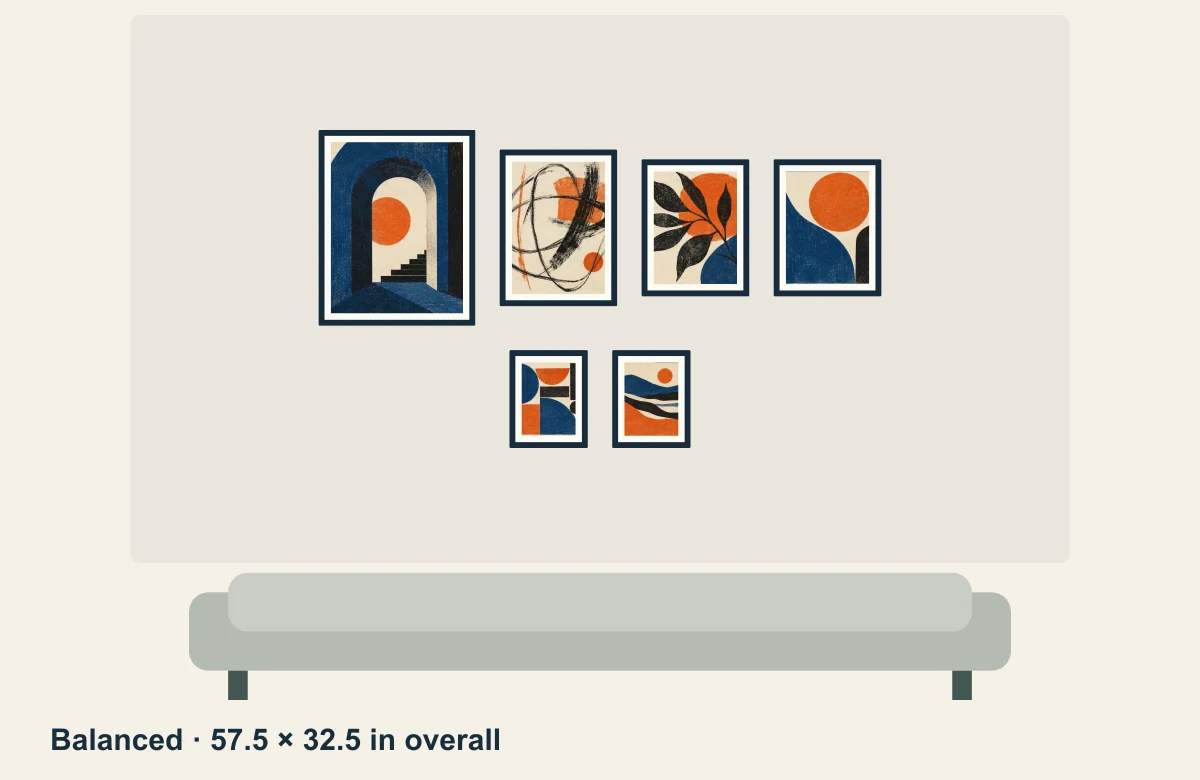
01 / Balanced
A larger group, with a quieter row below.
57.5 × 32.5 in overallThe algorithm groups the larger pieces first and centers the rows. Compare how this narrower arrangement feels over your own sofa.
You do not need a matching set. Start with the frames you have, compare the space each arrangement needs, then make the layout your own.
Free beta · No signup · Works in your browser
These are outside frame dimensions, measured edge to edge. A frame sold for an 8 × 10 in print may be larger on the outside.
Measured clear wall area: 96 × 56 in
Sofa width reference: 84 in
Auto-layout gap setting: 2.5 in
About 244 × 142 cm of clear wall above a 213 cm sofa. The sofa illustration shows width, not a prescribed mounting height.
The algorithm groups the larger pieces first and centers the rows. Compare how this narrower arrangement feels over your own sofa.
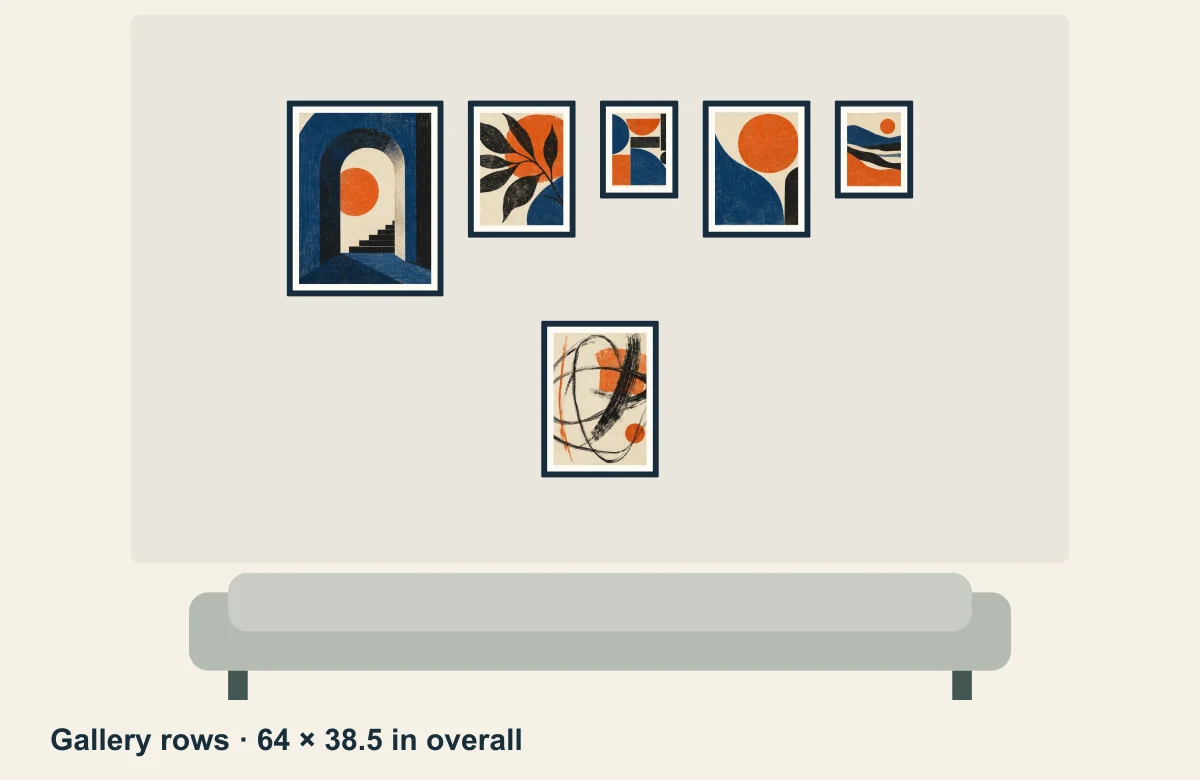
This arrangement follows the order of the frame list and aligns the top edges within each row. It needs more width and height than the other two.
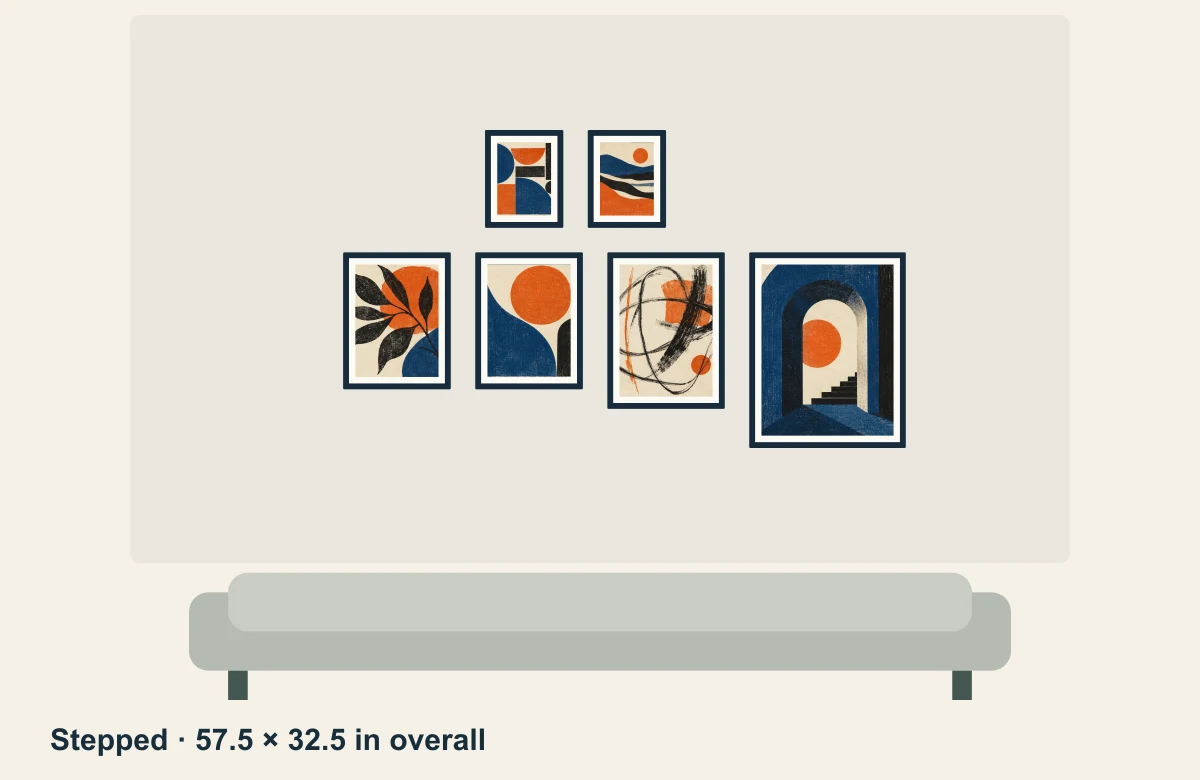
Offset rows change the balance of the same frame set. Preview it alongside the centered version before choosing.
Generated with Frame Study’s layout engine. Overall dimensions include the gaps between frames. The 2.5 in auto-layout setting does not make every visible vertical gap identical when frames have different heights. Illustrative artwork is included in the planner.
Frame-edge coordinates are not nail or hook positions. Measure the actual hanging hardware before marking the wall. Frame Study can calculate a single hanging point only after you supply its measured offsets; two-hook frames are not supported.
The editable example includes all six frame sizes and the three saved arrangements. You can replace the dimensions with your own.
In the planner, choose Project → Open a saved project, then select the downloaded .framestudy file. Opening it replaces the browser draft after confirmation, so download your current project first if you want to keep both.
There is no single width that fits every room. In this worked example, a 57.5 in arrangement spans about 68% of an 84 in sofa, while the 64 in arrangement spans about 76%. Those are comparisons, not rules. Check your available wall area and compare the result at the viewing distance you normally use.
Yes. The examples above use four different outside sizes. Frame Study accepts up to 12 frames and supports inches or centimeters. You can move frames individually after using auto-layout.
Yes. Add photos inside the planner to preview your art. Project photos stay on your device unless you choose to share a downloaded file. A site link by itself does not share your project.
No. The planner is currently a free beta. One draft stays in the current browser; download the editable project if you need a separate backup or want to continue on another device.